From Scan to Panel
Overview
A weekend workshop in scripted making: image data sampled in Grasshopper, turned into 40 mm spheres, and built by hand as a panel of ping-pong balls, one layer at a time through a HoloLens.
Emanuele Di Paola, Erick Duenas and Matteo Ferraro · From Scan to Panel workshop, AS 3401 Creative Coding, Curime Batliner · SCI-Arc, Fall 2024
Our group of three built five of its ten subpanels, with Fologram and the HoloLens.
Grasshopper
Image
to Data
The workshop opened with a LiDAR scan of the workshop group in Keck Hall, and each of us cut ourselves out of the cloud in CloudCompare. The panel itself was drawn from image data, not from the scan.
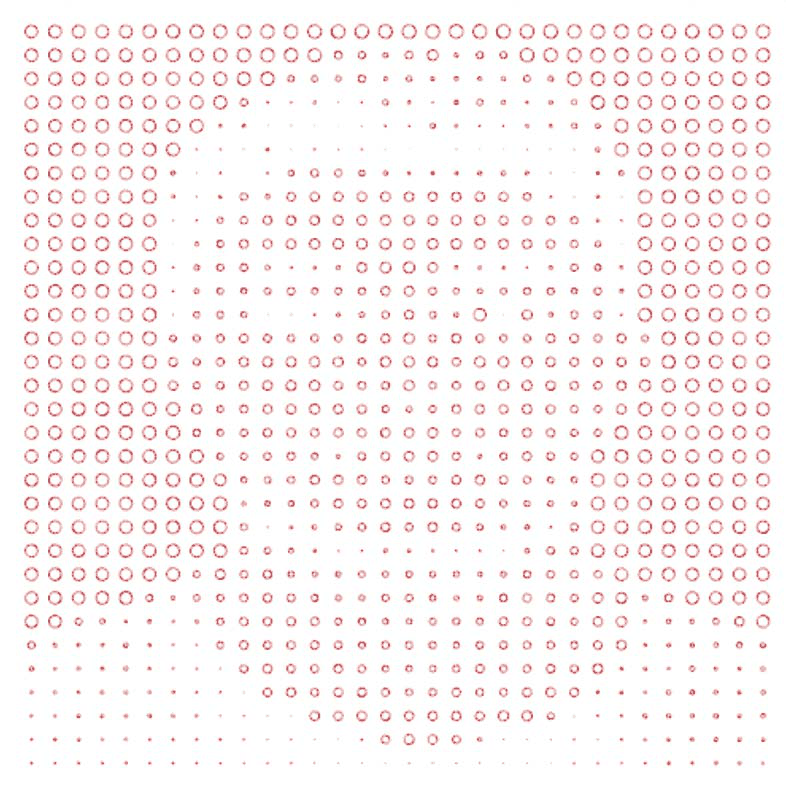
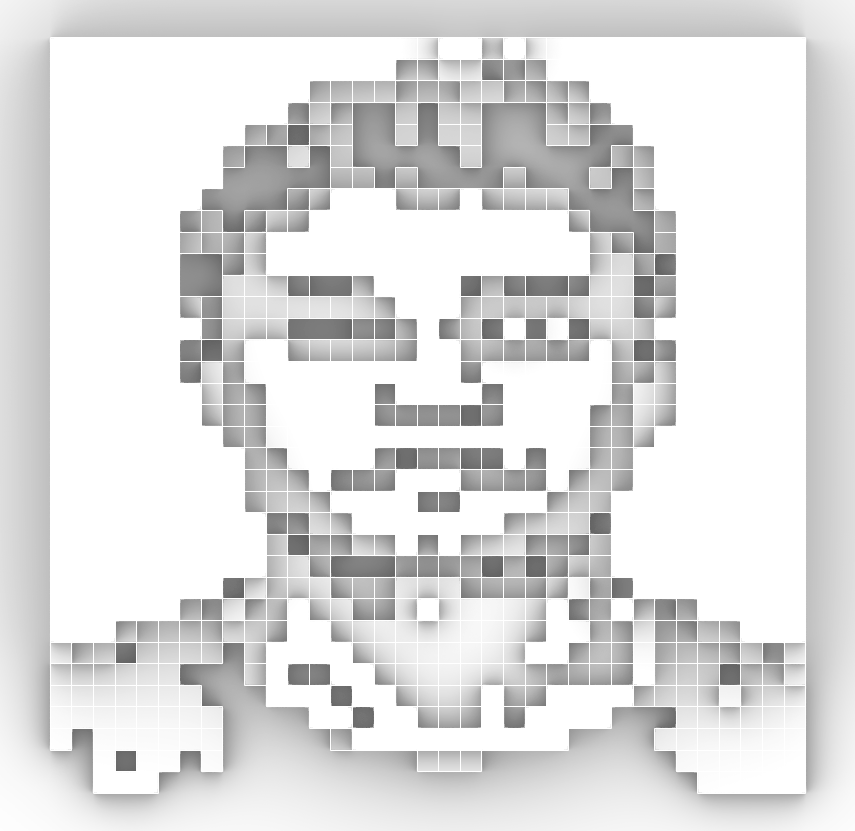
In Grasshopper the class built a script that lays a grid of points over a photograph, samples its tone at each point, remaps the values and redraws them: first as circles, then as pixels extruded into boxes and layered for depth. Two of the exercises on the way, both self-portraits.
Grasshopper
How the Script
Worked
In plain words, the script did seven things:
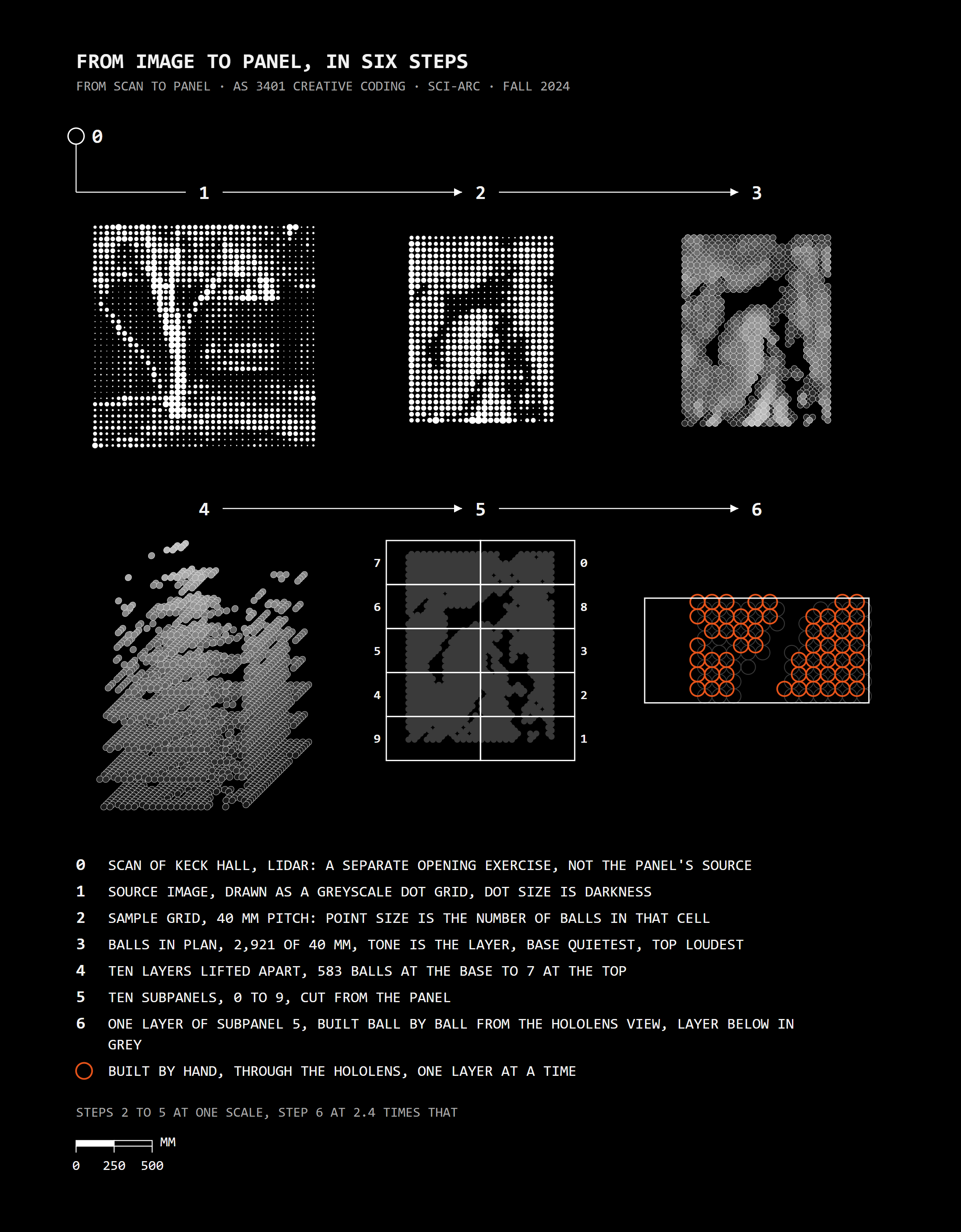
1. Lay a grid over a picture, one point every 40 mm, the size of a ping-pong ball.
2. At each point, read how light or dark the picture is.
3. Turn that tone into a number: how many balls stack up on that spot.
4. Stack the balls in ten layers, each one sitting in the gap between the balls below it.
5. Cut the panel into ten pieces small enough to build on a table.
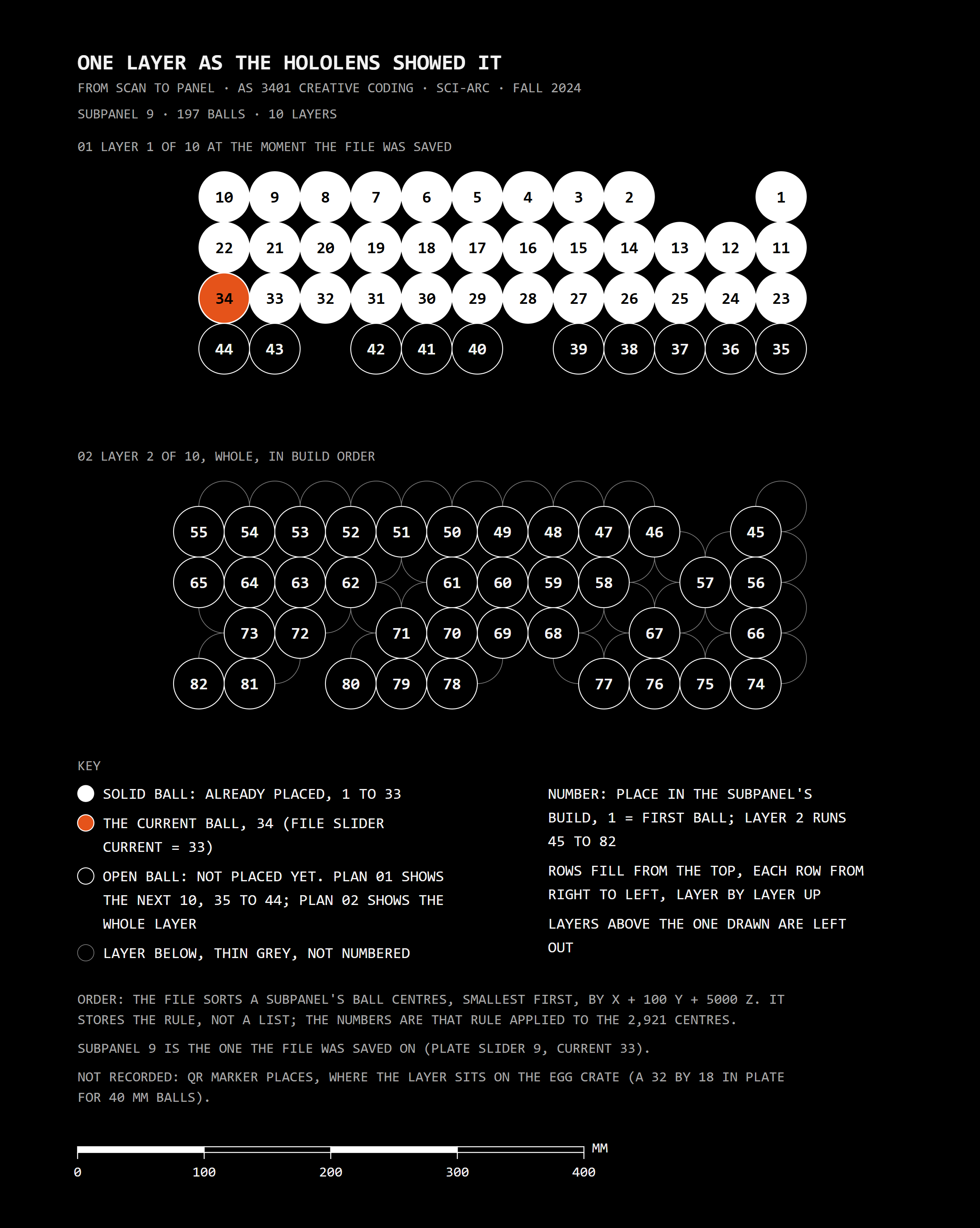
6. Number every ball in each piece, row by row, one layer at a time.
7. Send one layer at a time to the HoloLens, so whoever is building sees exactly where the next balls go.
Process
From Image
to Panel
The whole workshop in six steps: a greyscale image, sampled on a 40 mm grid, became 2,921 balls in plan, stacked in ten layers, cut into ten subpanels, and built by hand one layer at a time through the HoloLens.
Exercise
Drawing
from an Image
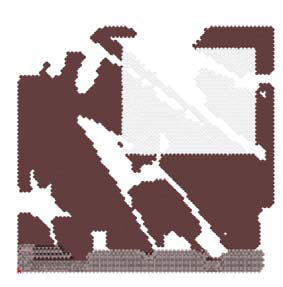
The students then drew panels of spheres from an image, first as an open warm-up and then as a blind exercise. Below, the two entries by Emanuele Di Paola.
Augmented Reality
Built Through
the HoloLens
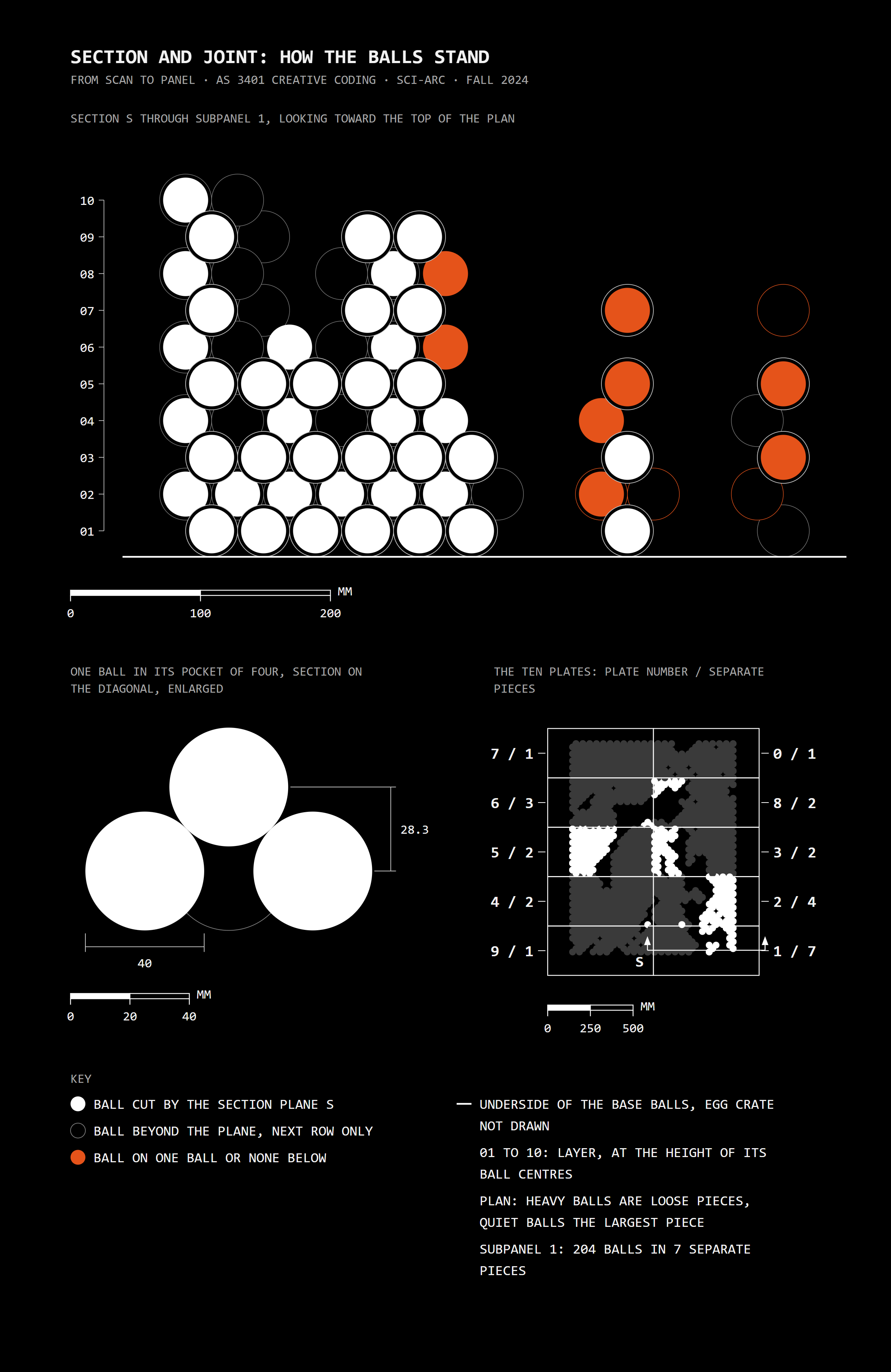
The panel was cut into ten subpanels, #0 to #9, and three groups built them. Fologram, a Rhino plug-in, placed each subpanel's model in the room through a HoloLens, located by QR codes on an egg crate base that held the balls. The model was shared one layer at a time: through the HoloLens we read where each ball went, and the balls were glued between layers, not necessarily along the same layer. Orange balls served as scaffolding under the cantilevered ones. Our group built five of the ten.
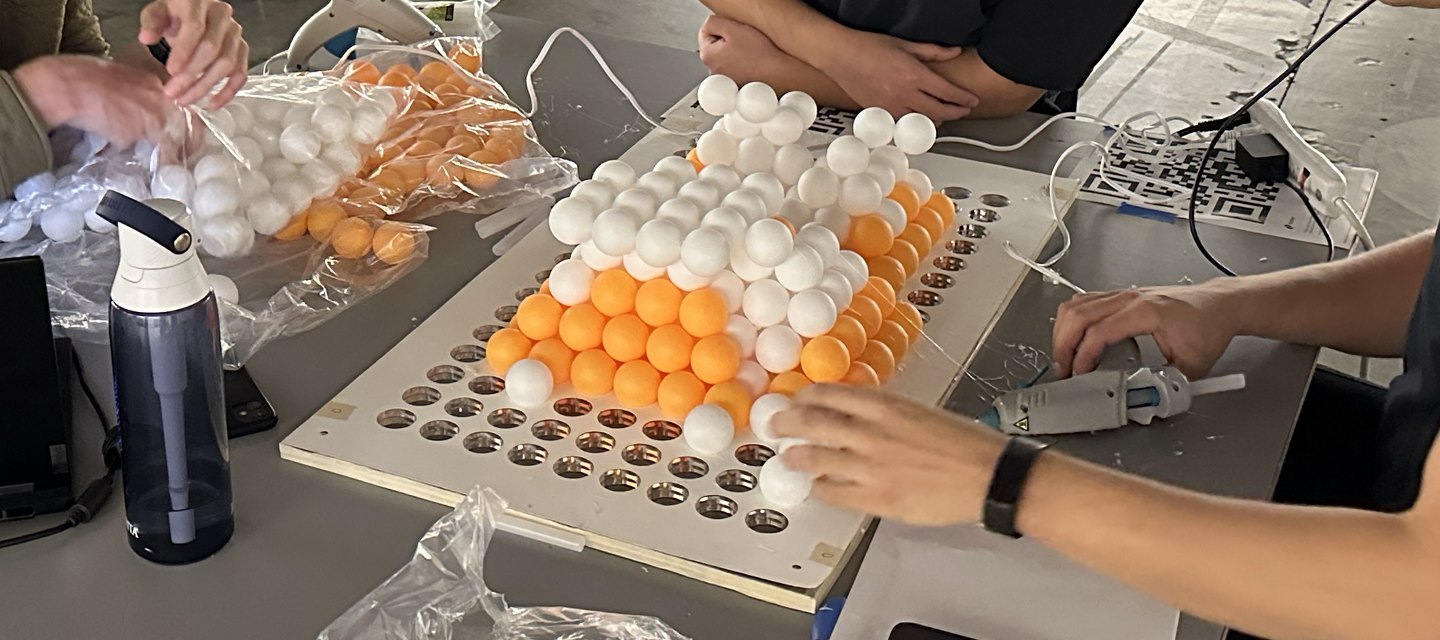 White balls built over orange balls on the perforated board
Workshop
In the
Workshop
Photographs from the workshop floor: the perforated boards with their QR markers, the balls going in, and the laptops running Rhino and Grasshopper.
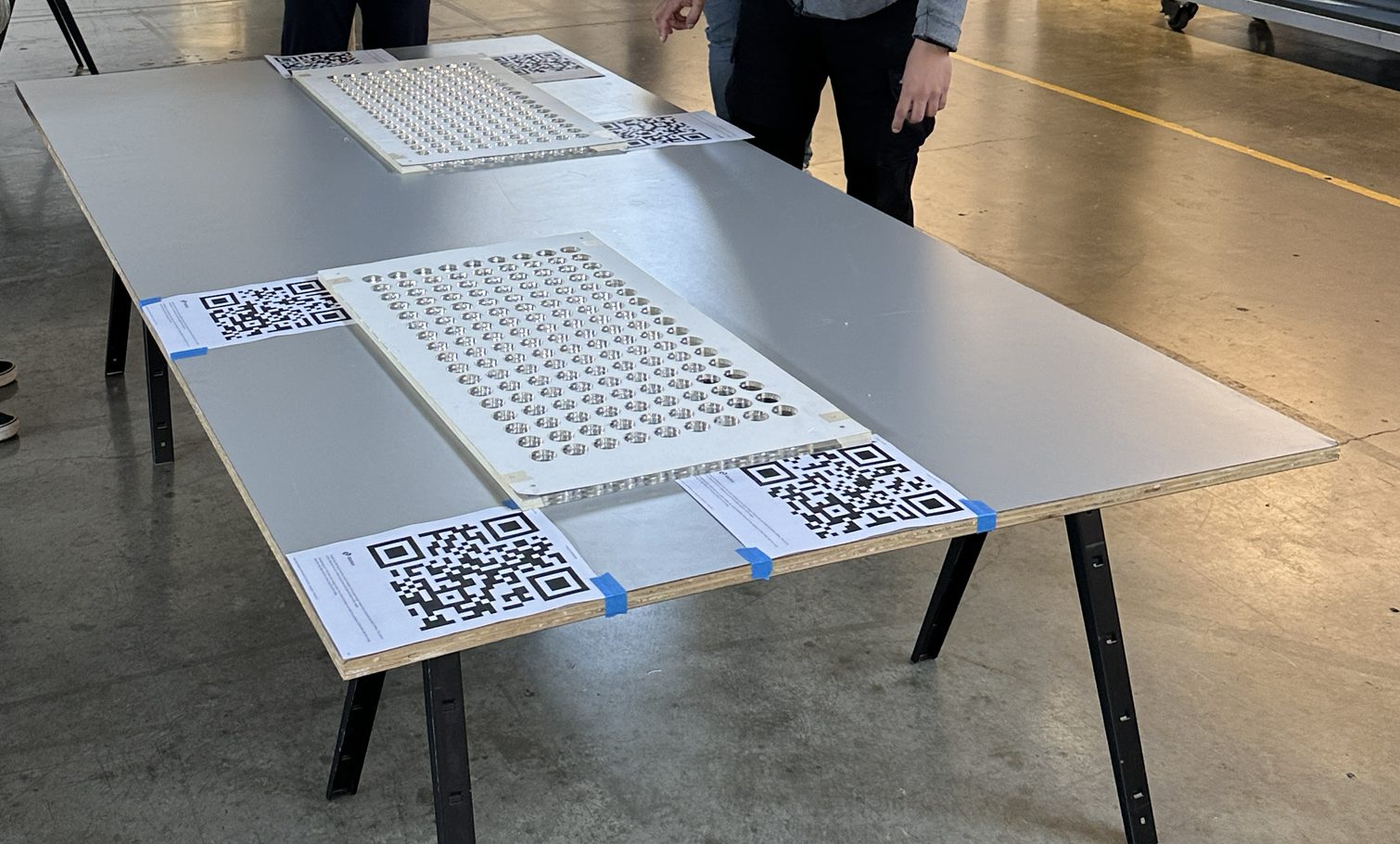 The perforated boards with their QR markers
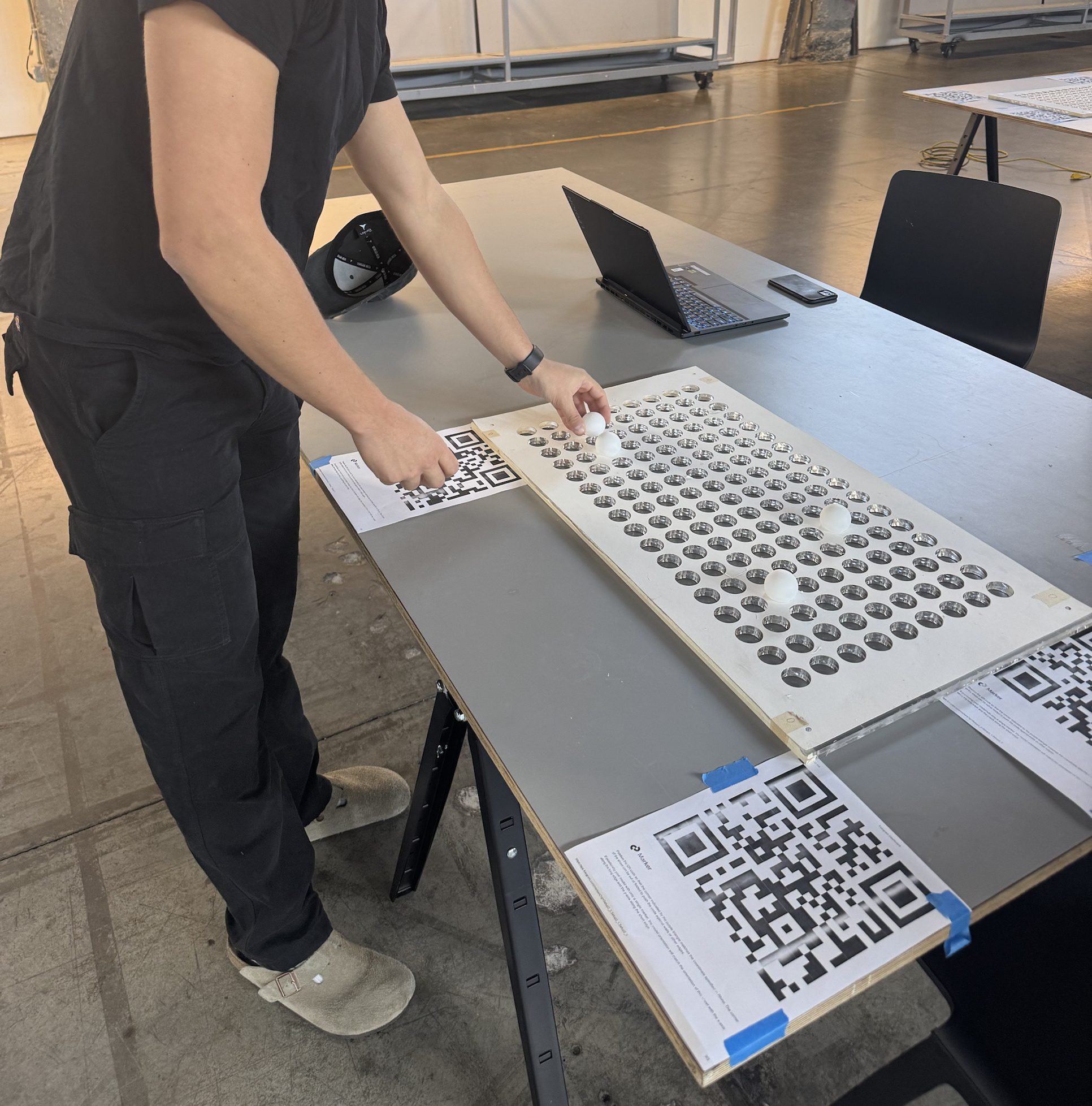 Placing balls into the perforated board
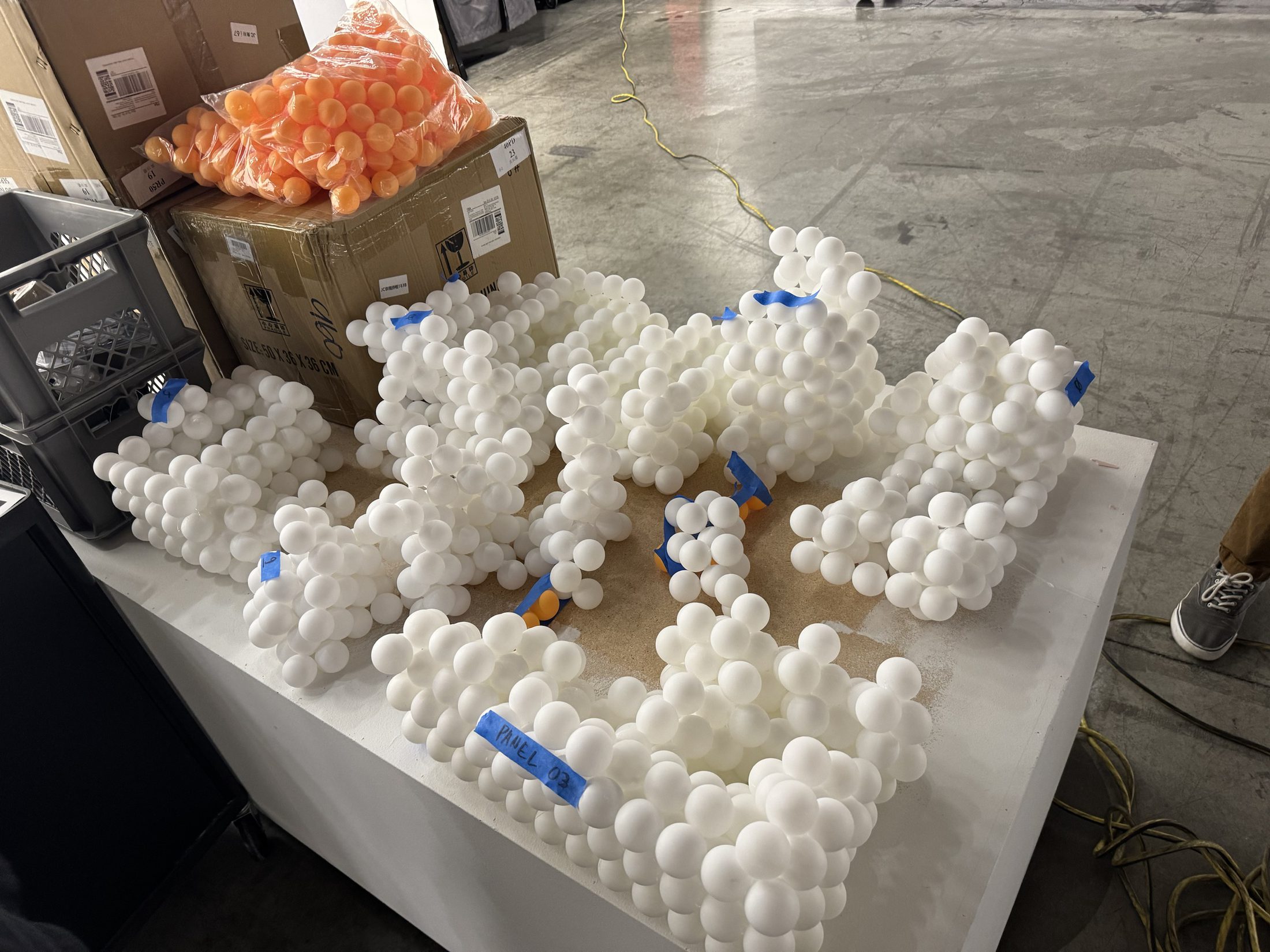 Finished subpanels marked with blue tape, orange balls in the bag
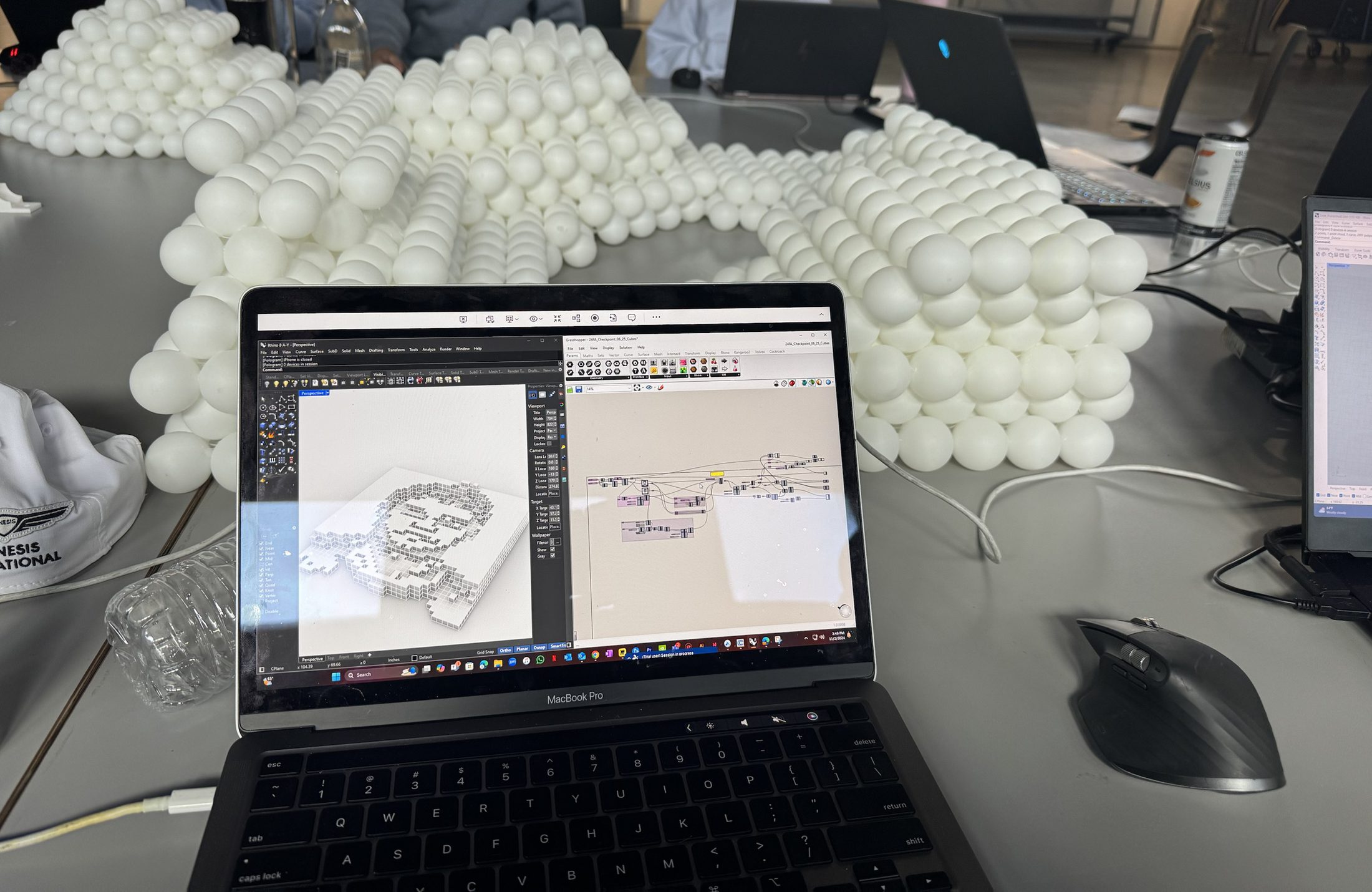 Rhino and Grasshopper open beside the ball panel
Augmented Reality
Seen Through
the Phone
Phone views of the model placed in the workshop space, and one photograph with the HoloLens on.
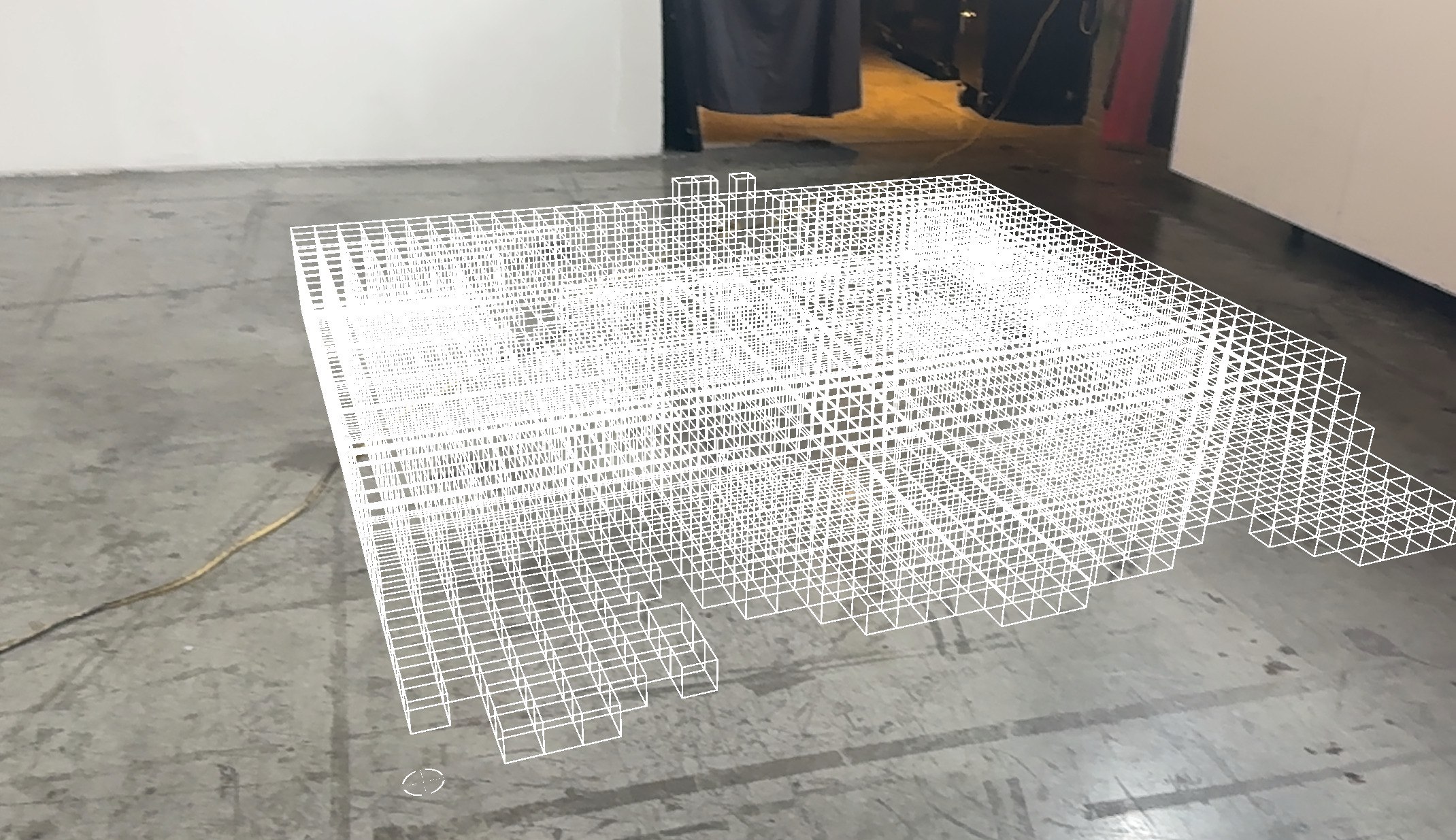 AR view of the model on the floor, a wire frame of boxes
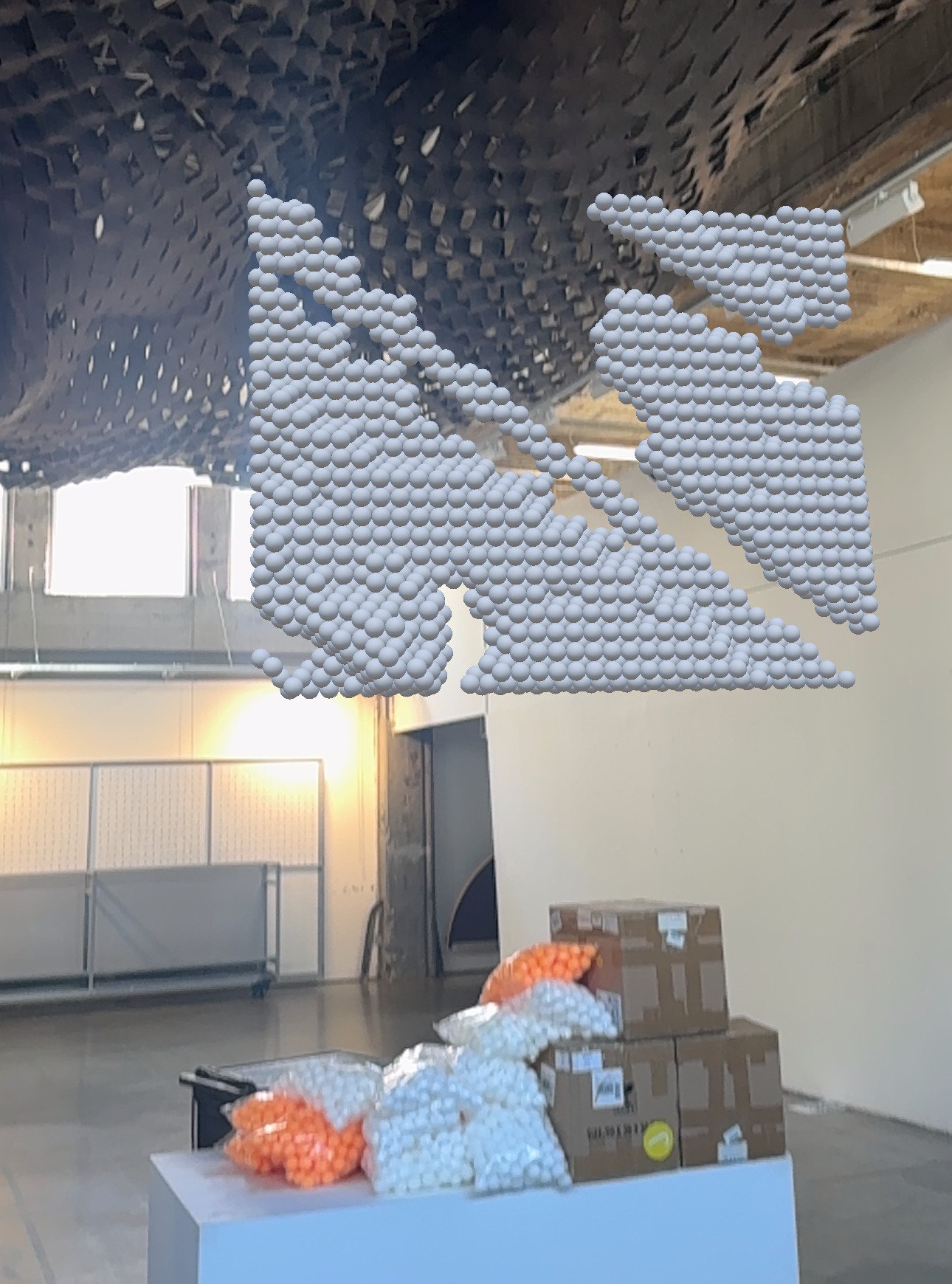 Grey spheres hanging under the ceiling, above boxes of ping-pong balls
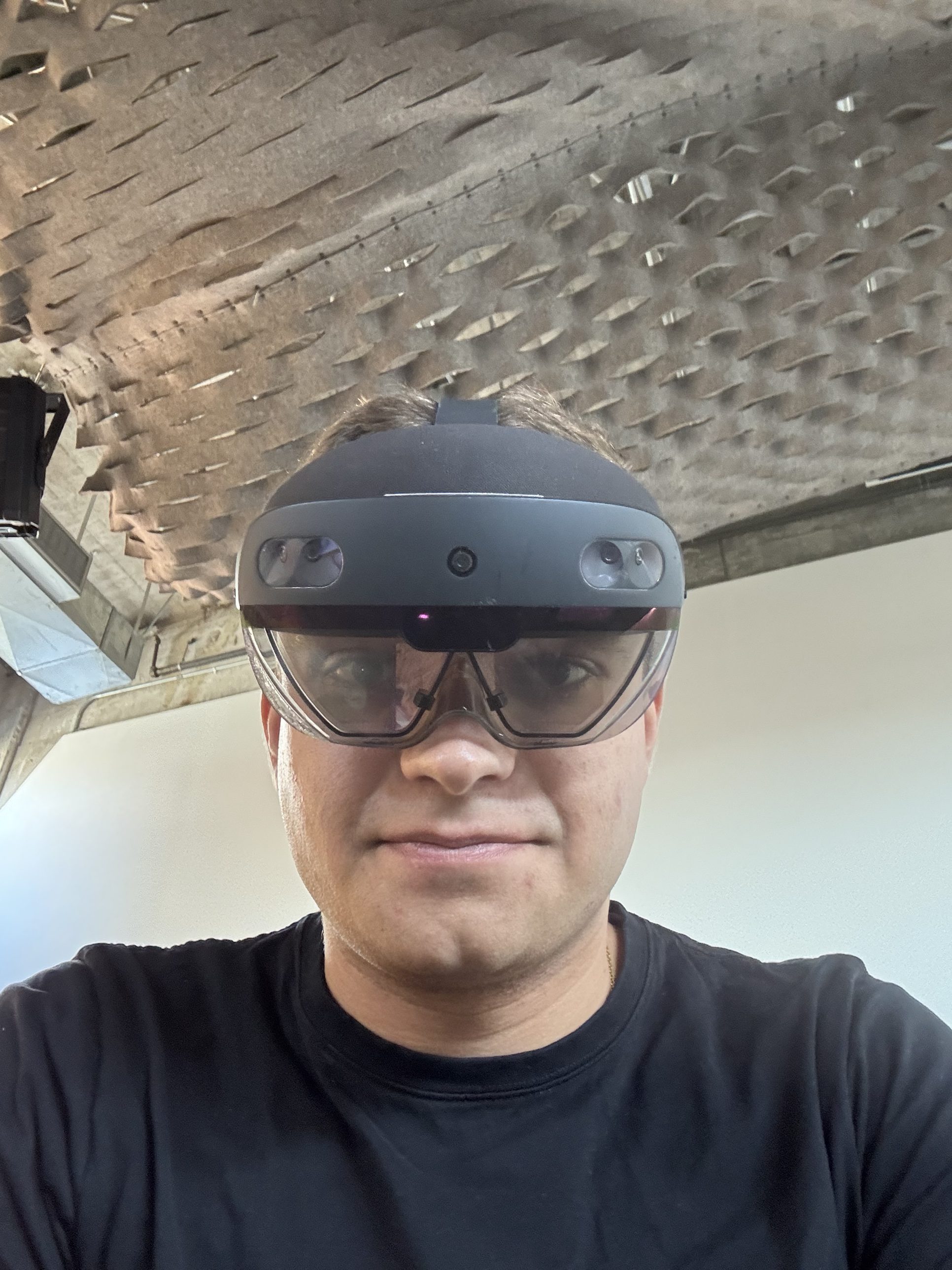 Wearing the HoloLens
Drawings
The Panel,
Ball by Ball
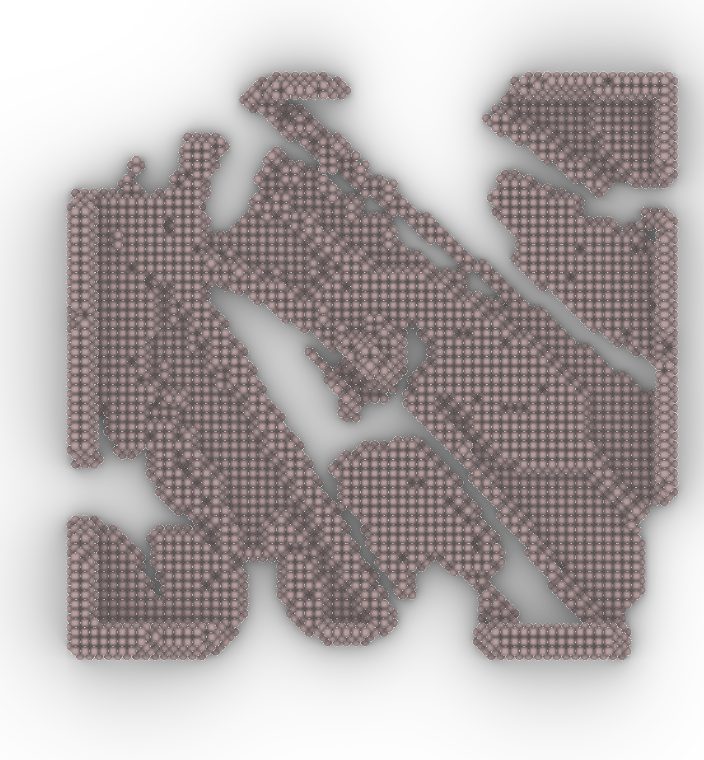
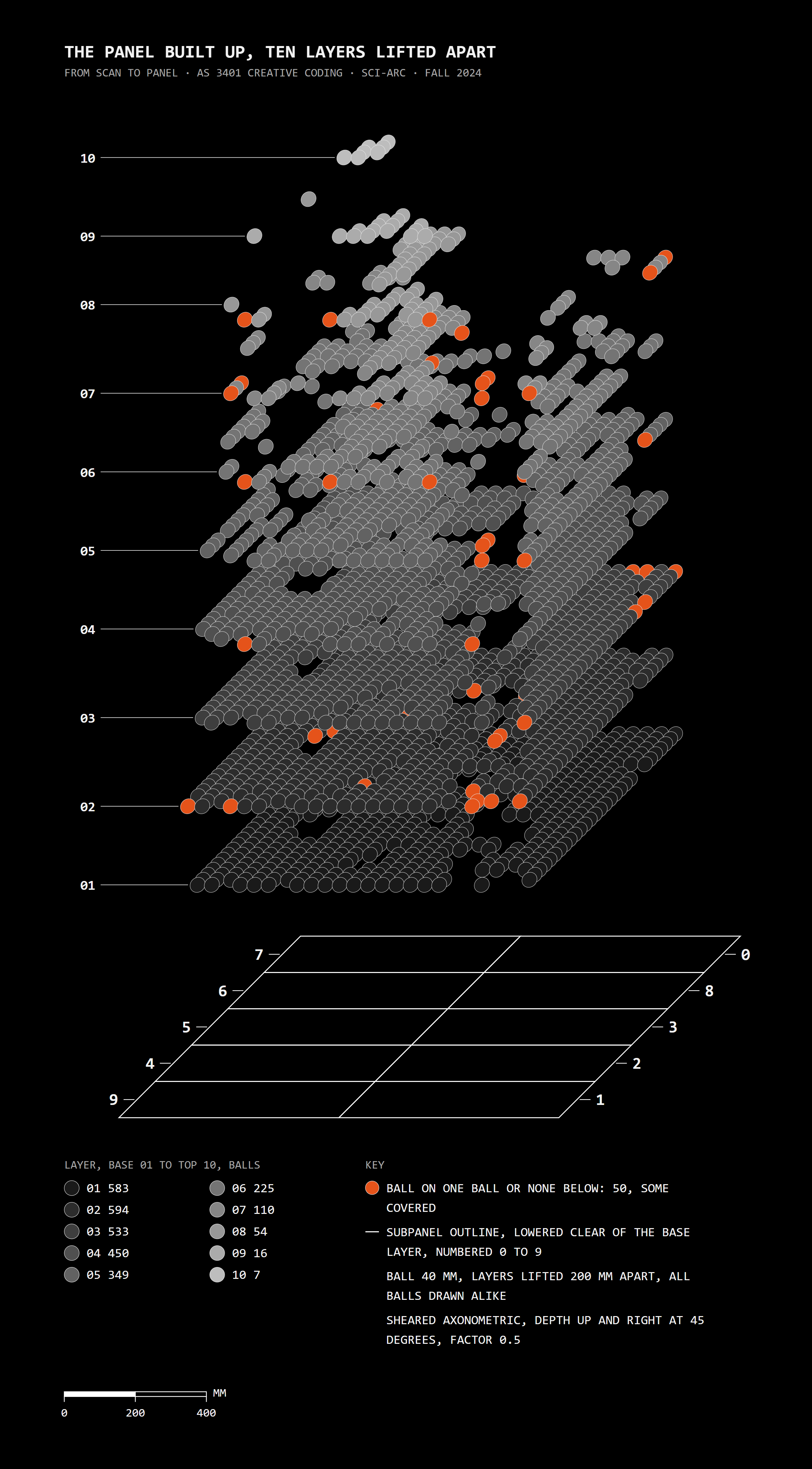
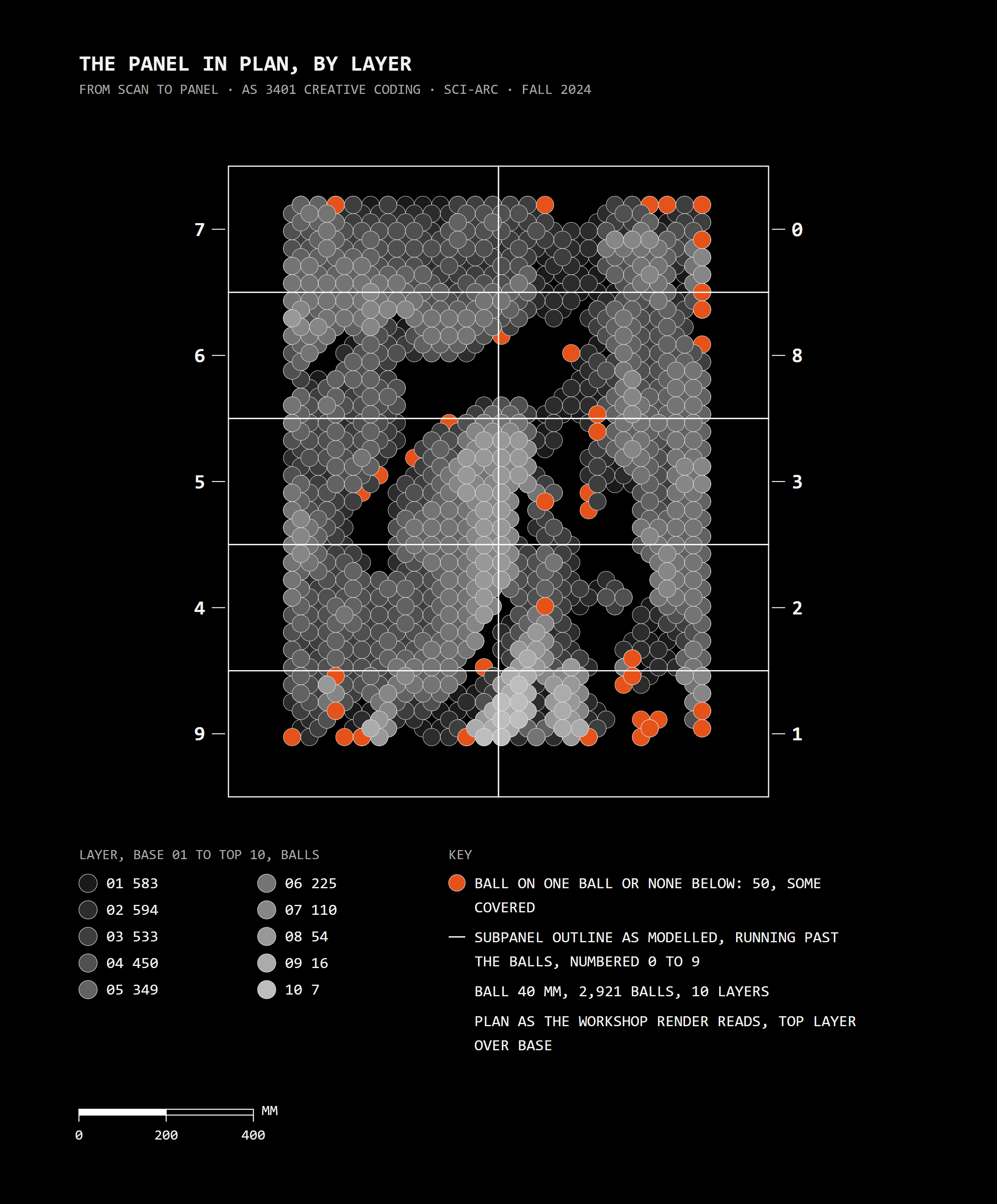
Drawn from the workshop data: all 2,921 balls, 40 mm each, in the ten layers they were built in. Orange marks a ball that rests on one ball or on none, the places where the panel had to cantilever.
Assembly
Ten Pieces,
One Panel
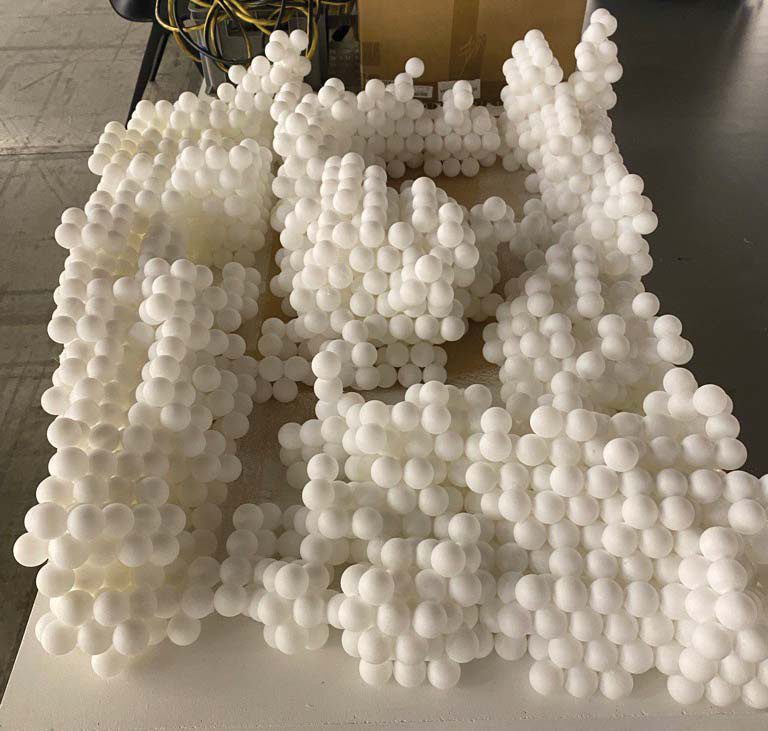
The subpanels were kept in order, each with its orientation, and joined into one panel. Some held parts that did not touch each other, and some did not line up, so the last fit was improvised, with the design intent deciding each fix.
 The finished panel